Industry
Headquarters
Baltimore, MD
Founded
2010
Company Size
Key Markets
1M+ users globally
Growth Stage
ARR $8M by 2023
Website
Use case
Timeline planning, task scheduling, team coordination
Highlights
Balanced automation with direct user control
Improved clarity of dependency behavior
Increased trust in timeline interactions
Reduced confusion during schedule edits
Overview
Scheduling is a tradeoff. Users want speed — and they also want control.
Automation helps move faster. Control helps people trust what they are doing.
In TeamGantt, both existed. The challenge was how they worked together.
Understanding the Problem
The system supported two modes at once: direct manipulation and automated adjustment.
Users could drag and edit tasks directly
Dependencies automatically adjusted related schedules
Too much automation created confusion
Too little automation increased manual effort
The tension was constant: speed versus clarity.
Strategic approach
The solution was not to choose one. It was to align both.
Making automation predictable
Users do not reject automation. They reject surprises.
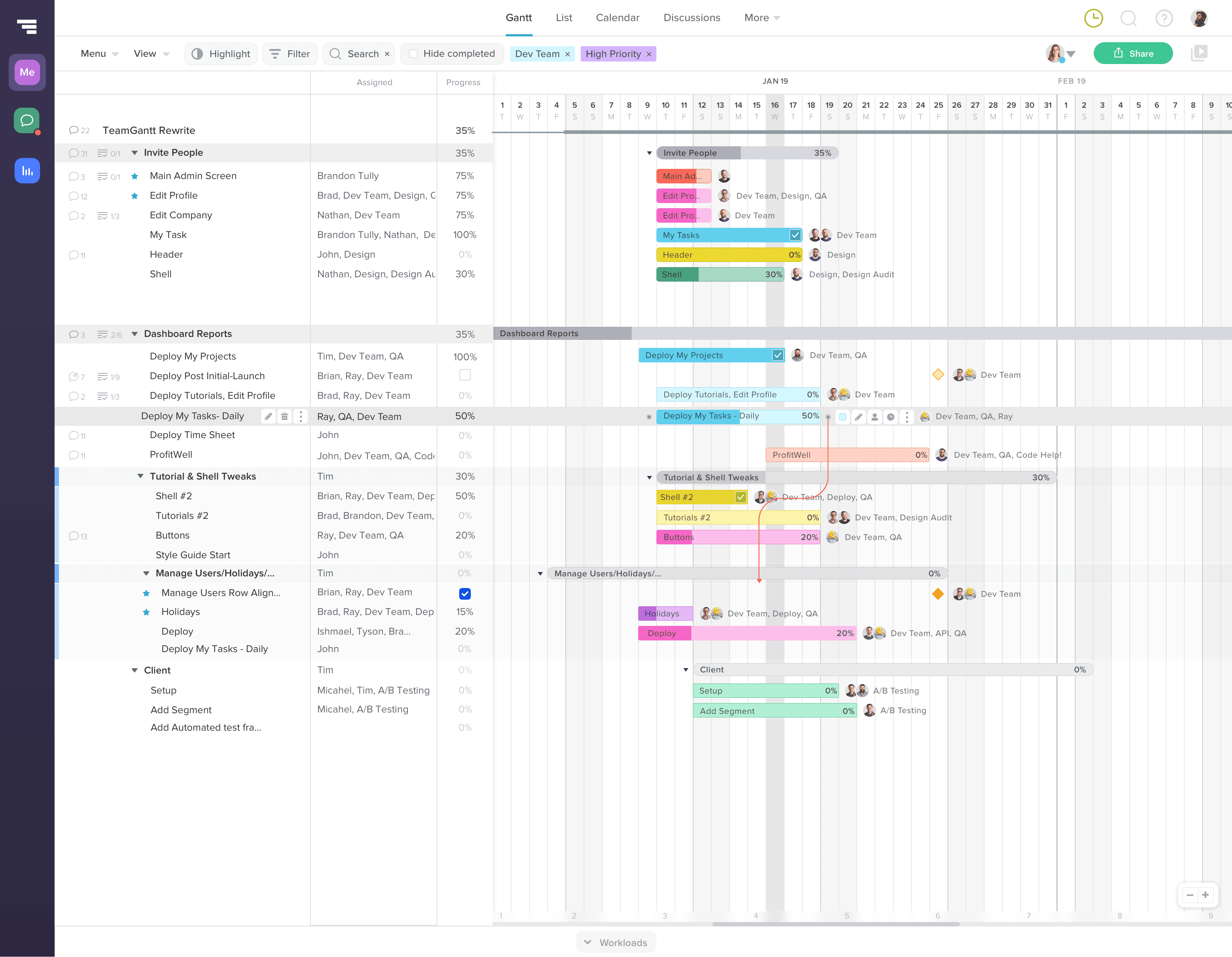
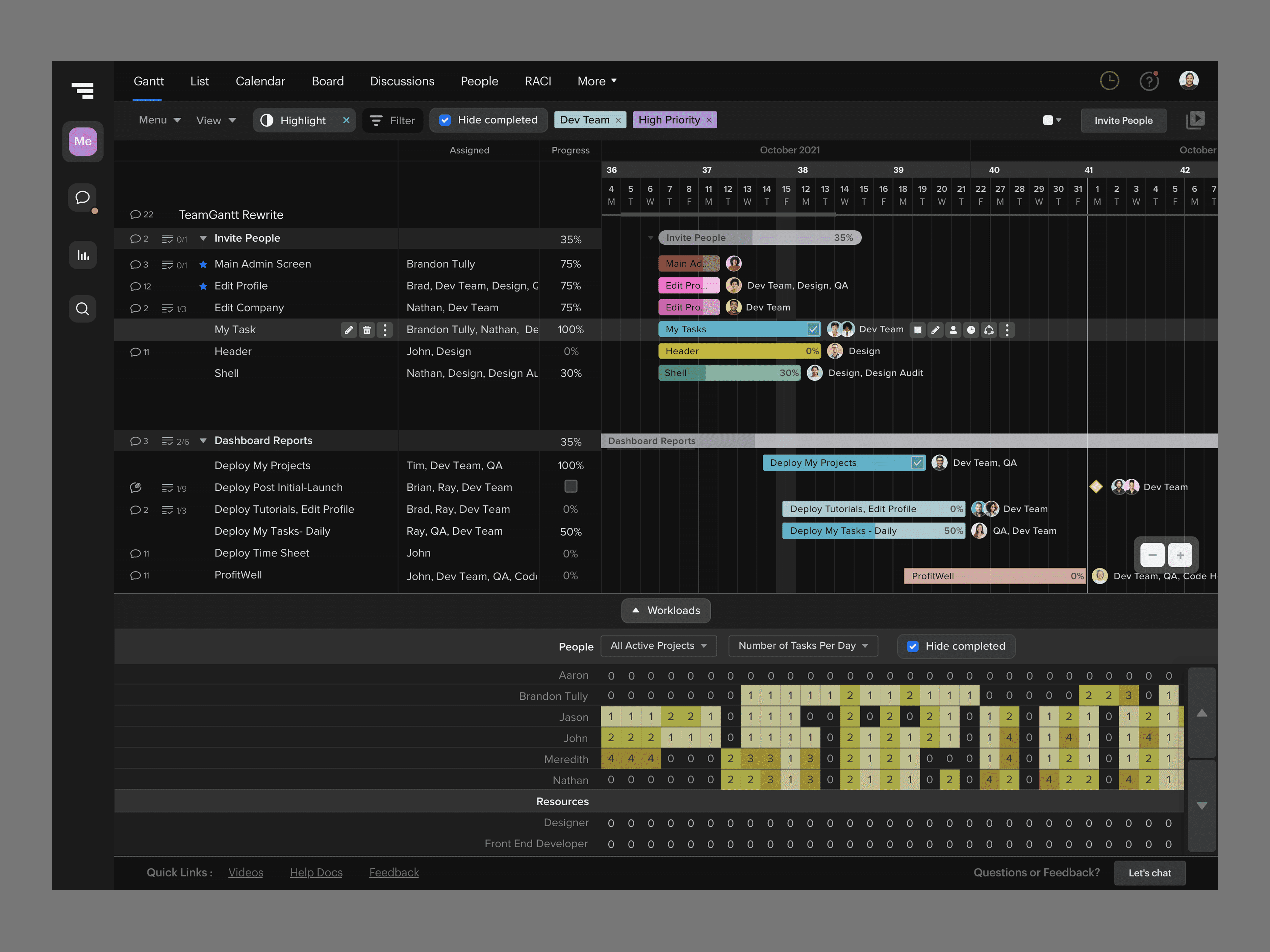
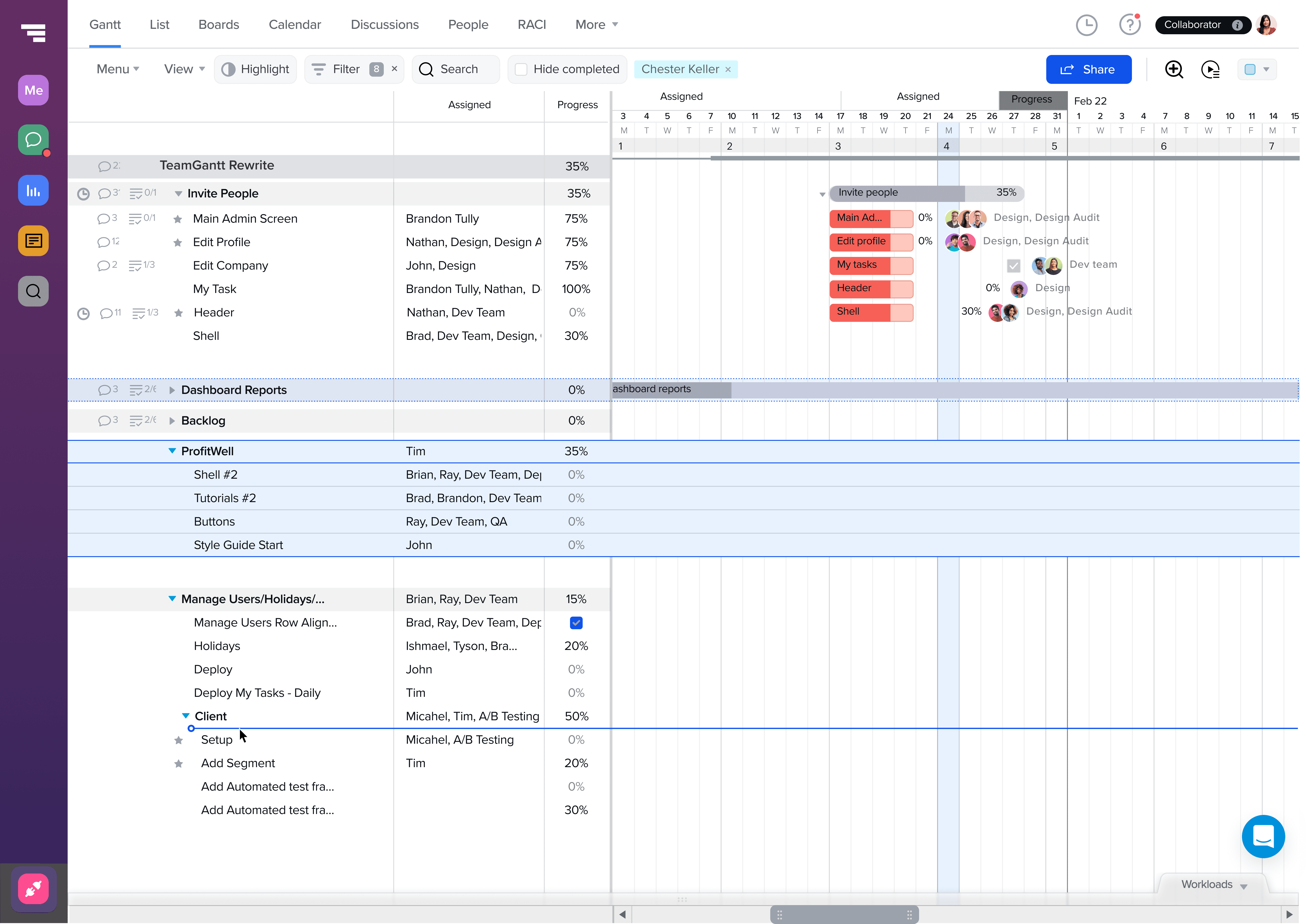
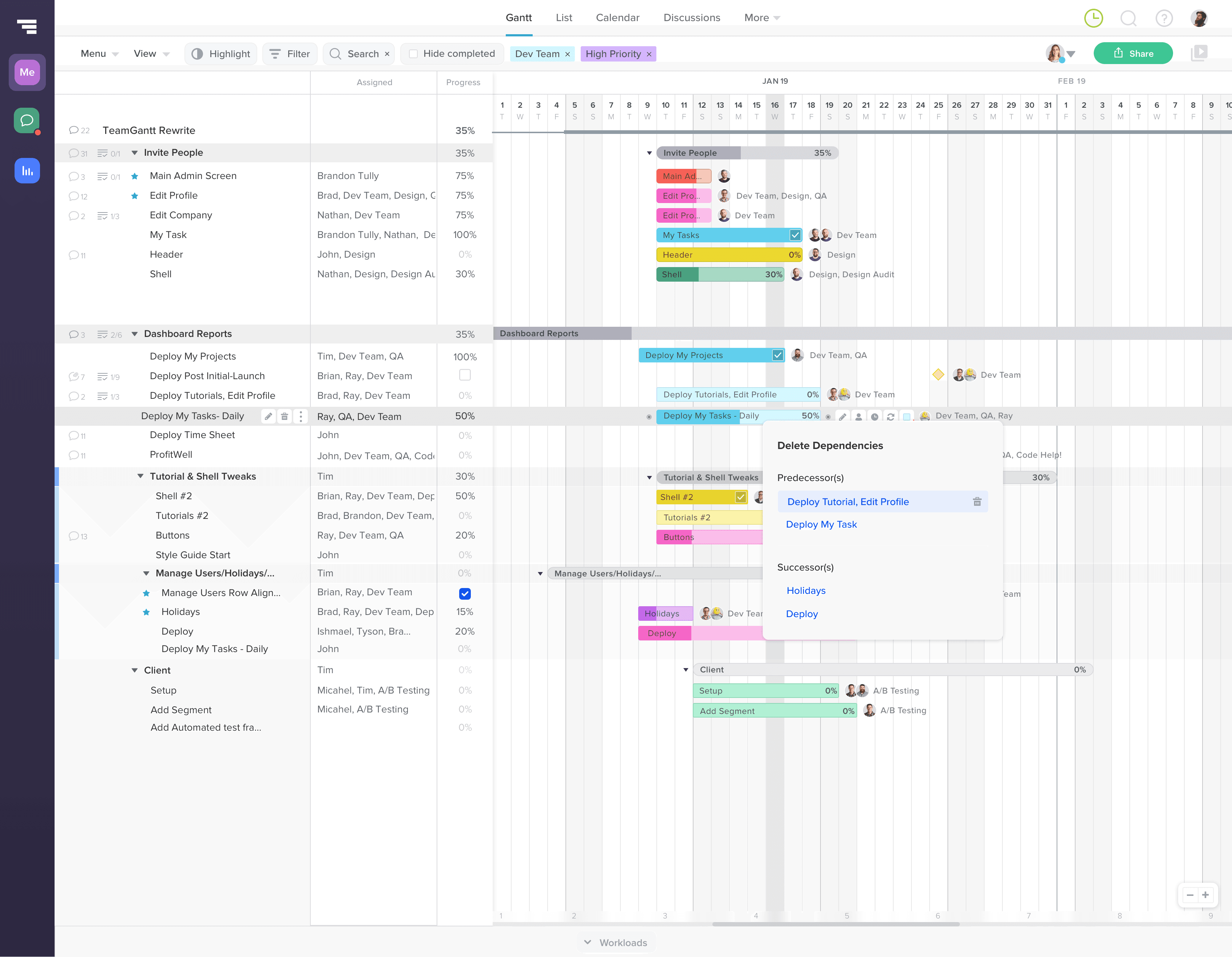
The focus shifted to making system behavior visible and understandable. Dependencies were clarified. Visual indicators showed how tasks were connected.
Interactions were refined so that drag and resize actions communicated their impact.
Automation remained, but it became legible. Users stayed in control because they could see what would happen.
Principle: Automation works when users can predict the outcome.
Key Initiatives
Dependency clarity and indicators
Users did not fully understand how tasks influenced each other.
What I did
Improved how dependencies were displayed
Made relationships easier to identify in the timeline
Aligned visuals with system logic
What changed
Users could see how schedules were connected
Automation became easier to follow
Less confusion during edits
Interaction refinement for predictability
Dragging or resizing tasks created unexpected changes.
What I did
Refined interaction behavior to better reflect system outcomes
Improved feedback during edits
Reduced ambiguity in how changes propagated
What changed
Users understood the result of their actions
Editing felt more controlled
Confidence increased when adjusting schedules
Additional improvements
Reduced friction in schedule editing
Lowered support issues tied to automation behavior
Strengthened user mental models
Maintained balance between speed and control
Cross-Functional Collaboration
Worked closely with product and engineering to align behavior, interaction design, and system logic. Ensured that improvements preserved technical integrity while improving usability.
Financial Impact & Business Enablement
The timeline became both powerful and understandable.
Users could move quickly without losing control. Automation supported them instead of surprising them.
Reduced support volume related to scheduling confusion
Improved retention through increased trust
Faster user adoption of advanced features
More efficient scheduling workflows
Takeaway
Automation is not the feature. Predictability is.
Role
Head of Product Design and Design Systems
Led UX strategy for scheduling workflows. Balanced automation and control through interaction design, improving clarity, predictability, and overall usability of the timeline system.


Related Case Studies
From complexity to first value
Workflow Architecture
Usability Validation
Onboarding
Making scheduling feel predictable
Workflow Clarity
Research & Validation
Dependencies
Building a grid that could scale
Design Systems
System Architecture
Scale & Reuse
A design system built for delivery
Design Systems
UX Strategy
DesignOps
Accessibility

Scaling with limited design capacity
Design Systems
Workflow Architecture
Reducing churn through clarity
Onboarding Redesign
Workflow Simplification
Protecting the product’s core promise
Roadmap Prioritization
Product Strategy
Making automation feel predictable
Product Judgment
Roadmap Influence
Designing confidence into automation
UX Tradeoff Decisions
Visual Feedback Design
Finding signal without analytics
Workflow Analysis
Customer Insight Synthesis
Making UX performance measurable
Metrics Architecture
DesignOps
System Design

Turning UX into a business signal
Product Alignment
Metrics Strategy
Executive Communication
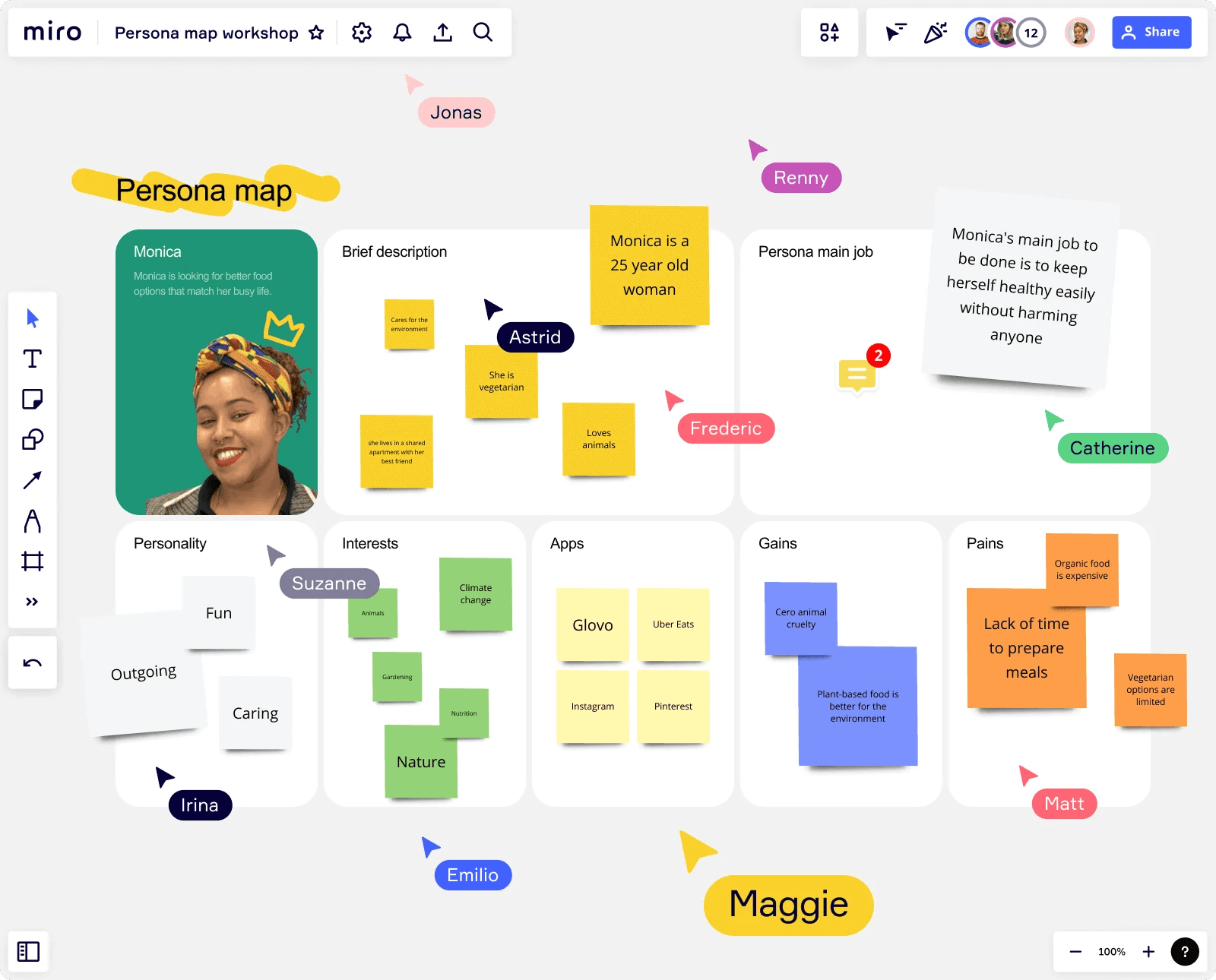
Research that shaped product decisions
Persona System Design
Research Synthesis
UX Strategy
Reducing friction for millions of students
K–12 Access
ID Management
Identity & Auth

Building trust into identity at scale
Web Identity
UX Systems
Design System Thinking
Designing an AI publishing workflow
AI Workflow Architecture
Prompt Engineering
Information Architecture